
Security for Non-Coders Who Vibe-Code Apps
The four things that actually get people hurt in an AI-built app, explained without jargon: who can read your tables, who can open your files, where the keys went, and who can sign in.
By Redbison Dev · · 12 min read
If you built an app by describing it to Lovable, Bolt, v0, Replit or Cursor, you do not need a security course. You need to understand four specific things, because almost everything that actually goes wrong with apps built this way is one of them. None of the four require you to read code.
The reason they go wrong is structural rather than careless. An app built this way talks to its database straight from the visitor's browser. There is no middle layer quietly checking permissions, which is the arrangement most people assume exists. The database itself does that checking, and the rules live in settings nobody prompted for.
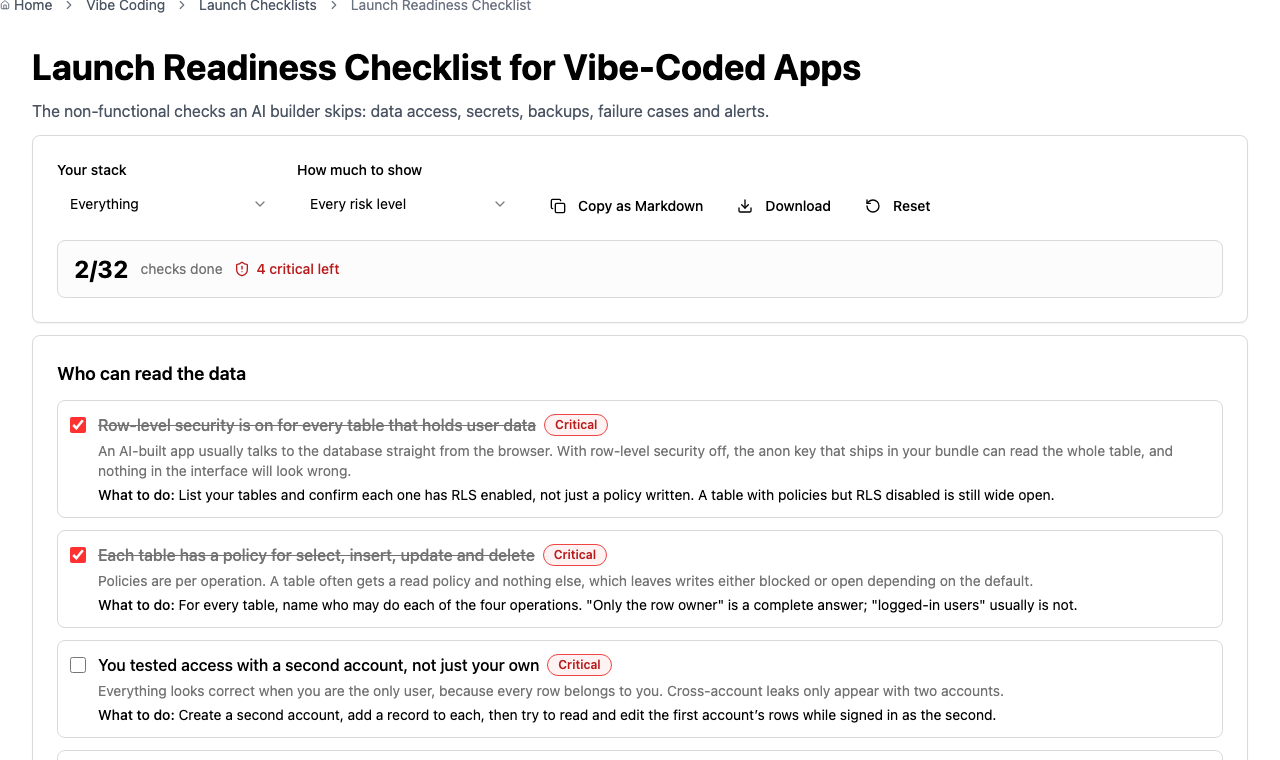
The Launch Readiness Checklist turns all of this into something you can tick through. This post explains what each item means.
One: who can read your tables
Your app holds data in tables, one row per thing: a row per order, a row per message. Because the browser talks to the database directly, the only thing stopping one person from reading everybody else's rows is a database feature called row-level security.
Think of it as a doorman for each table. With row-level security on, every request has to answer "which rows is this person allowed to see?" before anything comes back. With it off, the request gets the whole table.
Two details catch almost everyone.
Enabling the doorman and giving them instructions are separate steps. You can write careful rules and leave the feature switched off, in which case the rules are ignored and everything is readable. The app looks completely normal either way, which is what makes it dangerous. Check the switch itself for every table holding user data.
Rules are written per action. Reading, creating, changing and deleting are four separate permissions. The common pattern is a rule for reading and nothing else, because reading is what people test. Ask, for each table, who may do each of the four.
The test that finds real problems takes five minutes and no technical skill: make a second account. Put a record in each, then while signed in as the second account try to open, edit and delete the first one's data. As long as you are the only user, every row belongs to you and a leak cannot show itself.
Two: who can open your files
This is the one people miss, because it looks like it is covered by the first.
Uploaded files do not live in your tables. They live in storage, in containers usually called buckets, and buckets have their own, completely separate permission settings. A perfectly locked-down table can hold a link to a file that anyone on the internet can open. Table rules do not reach into storage.
Four things to get right.
Decide whether each bucket should be public at all. Profile photos are often fine to serve publicly. Anything a user uploaded about themselves, such as an ID document, a medical form or a contract, is not. Test it the direct way: copy an uploaded file's web address, open a private browsing window, and paste it in. If the file appears without signing in, that bucket is public.
A long, random filename is not a permission. It is tempting to think nobody will guess invoice-8c2f91b4.pdf, but addresses escape constantly, through browser history, shared links, chat previews and analytics. Treat an unguessable name as a convenience, never as protection.
Write rules for uploading too, not only reading. This is the storage version of the per-action gap above. An upload rule left open means a stranger can put files into your storage, which you pay to hold and serve. Scope each person's access to their own folder rather than the whole bucket, so one account cannot overwrite another's files.
Limit what may be uploaded at the bucket, not just in the form. The file picker on your page can suggest "images only", but that is a hint a browser is free to ignore, and anyone can call the upload directly. Set an allowed file-type list and a maximum size on the bucket itself. Without it, somebody can store a web page in your storage that then loads from your address, which is a nasty way to lose trust in your own domain.
Serve private files through links that expire. The usual way to share a private file is a signed link, which is really a key written into a web address. Once that address is in an email or a chat log it keeps working until it expires. Minutes is a sensible lifetime. Months is a public file with extra steps.
Three: where your keys went
Your app uses keys to talk to other services: a database, a payment provider, an email sender, an AI model. Some are meant to be public and some are absolutely not, and AI builders are not reliably careful about the difference.
Here is the rule that matters: everything your page downloads can be read by anyone who visits it. Right-click, view source, and it is all there. So any key sitting in the part of the app that runs in the browser is public, whatever the file is called.
Keys designed to be public are fine there. A Supabase anon key or a Stripe publishable key is built for it, and their power is limited by other settings, which is exactly why the first two sections matter so much.
Keys that can spend money, send email as you, or read every record are a different matter. Those belong on a server, which in these platforms usually means an edge function or a server function, with the value stored as a secret. Your page asks the server to do the thing; the key never travels.
If a secret key has ever been in your browser code, deleting it does not fix it. It remains in your project's history, and in copies of your app that people already loaded. Go to the provider and rotate the key, which replaces it and makes the old one stop working. Rotating is the fix; deleting is tidying up after the fix.
Four: who can get in
Sign-in is where most people assume the security lives, and it is the part AI builders handle best. Two gaps are still worth closing.
Email confirmation. If sign-up does not verify the address, anyone can create an account claiming to be someone else's email. For an internal tool that may be fine. For anything where identity matters it is not.
The difference between hidden and protected. Hiding an admin button from most users is a change to what is drawn on screen, not to what the database allows. If the permission rules on the table do not also say only admins may do the thing, the button being invisible is decoration. Anyone who knows the request exists can make it.
What to do this week
In order, because it is also the order of how much damage each one does:
- Open your database settings and confirm row-level security is on for every table holding user data, with rules covering all four actions.
- Make a second account and try to reach the first account's data.
- Copy an uploaded file's address into a private window. Decide, per bucket, whether public is right, then fix the upload rules and size limits.
- Search your project for your providers' key names. Anything secret moves to a server function and gets rotated.
- Confirm admin-only actions are enforced by the database, not only hidden in the interface.
None of this requires you to write code, and all of it is work an AI builder will happily do for you once you know what to ask for. The one thing to be careful about: do not ask the same tool whether its own fix worked. Check it yourself with the second account. An agent reporting success is not evidence.
Frequently asked questions
Do I need to understand code to secure an app I vibe-coded?
No. The four risks here are settings rather than code: whether row-level security is on, what the storage buckets allow, where your secret keys live, and whether admin actions are enforced by the database. You can verify each from a dashboard and a second browser window.
Is it dangerous that my database key is visible in the browser?
Not by itself. The anon or publishable key is designed to be public and its power depends entirely on your row-level security rules. What makes it dangerous is a table with those rules switched off, because then the public key can read everything in that table.
Why do my file uploads need separate permissions?
Storage is a different system from your database with its own settings, so table rules do not apply to files. A private record can link to a file anyone can open, which is why you test a file's address in a signed-out window rather than assuming it inherited the record's privacy.
Someone found my API key. Is deleting it from the code enough?
No. The key stays in your project history and in copies of the app people already downloaded. Rotate it at the provider so the old value stops working, then store the new one as a secret on the server side rather than in anything the browser receives.
Can I just ask the AI builder to fix all of this?
Largely yes, and it handles writing the rules well. The limit is verification: asking the same tool whether its fix worked is not a check. Confirm the result yourself with a second account and a signed-out window, because that evidence does not depend on the tool being right about itself.
Sources and further reading
- Row Level Security, Supabase. Enabling RLS per table and writing a policy for each operation.
- Storage Access Control, Supabase. Bucket policies, per-folder ownership and signed URLs with expiry.
- Using Row Level Security, PostgreSQL. What the database does when a table has no policy at all.
- Secrets Management Cheat Sheet, OWASP. Why rotation, not deletion, is the remedy for an exposed key.
- OWASP Top Ten, OWASP. Broken access control is the most common serious weakness in web applications.